For Home Printers Home Office Printers Epson EcoTank M1050

Epson EcoTank M1050 Ink Tank Printer

LOW COST MONO PRINTS WITH HIGH PRODUCTIVITY

Affordable and productive, the M1050 mono ink tank printer allows you to print effortlessly over Wi-Fi and Ethernet. Enjoy low printing costs and high yields with DURAbrite ET Pigment Ink that produces sharp and water resistant printouts.

Ink bottles with designated nozzles and a big ink tank capacity also reduce refill frequency and support high volume printing. With in-built PrecisionCore Heat-Free Technology, this new model is robust and resource-saving. The M1050 is made with the environment in mind, utilising recycled plastic in the construction of each main unit, and include a replaceable maintenance box. Get yours with a peace of mind with our 4 years warranty.

  • Compact and Durable Ecological Design
  • Replaceable Maintenance Box reduces downtime
  • Easy operation with Epson Smart Panel
  • Easy refill with high capacity ink tank (6,000 pages)
  • Support Wi-Fi and Ethernet connectivity
  • Water resistant pigment ink with high yield of up to 6,000 pages
  • 4-year warranty or 50,000 pages, whichever comes first (inclusive of printhead)
  • Powered by Epson Heat-Free Technology

 

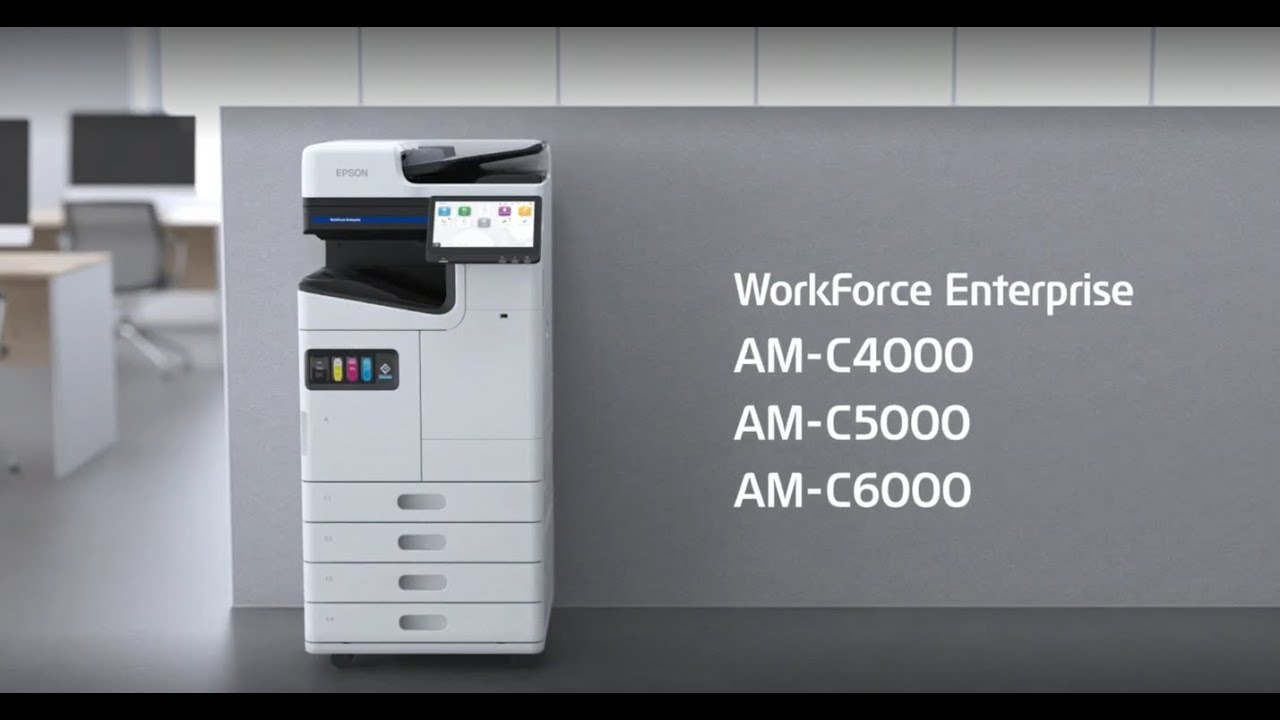
Product Intro Movie

Epson Solutions Suite

Epson Solutions Suite provides a range of software, options, and services to improve document security, manage device fleets, reduce costs, and simplify workflow processes.

Epson Solutions Suite Solution Overview

For detailed information about Epson Solutions Suite, please visit: https://www.epson.com.sg/software-solutions.

Epson Solutions Suite Introduction Video

Fleet Management Solutions
Fleet management solutions help IT administrators and service providers easily set up and manage multiple devices. Monitor devices across the network at a glance, receive alerts, and generate reports to support business needs.

Print Management Solutions
rint management solutions help companies secure multifunction devices against misuse, reducing the risk of exposing valuable data to unintended recipients through authentication and activity tracking, while enhancing convenience with workflow automation.


Capture and Workflow Solutions
Capture and workflow solutions help businesses simplify document digitisation and streamline processes, enabling users to capture, process, and distribute documents to multiple destinations through guided workflows or at the click of a button.


Solution for Light Production
Enhance the efficiency and quality of production work with automation and detailed adjustments.

Epson Edge Print-P1 (Placeholder)

  • Epson’s original software RIP for enhancing
  • Workflow automation for printing.
  • Advanced colour adjustment with tone curves.
  • Supports genuine Epson colorimete


Cloud and Mobile Solutions
Cloud and mobile solutions enable users to access their printers and scanners to print and scan from any location, using any device.


Collaborate with Epson
Create tailored solutions that integrate Epson products seamlessly into your workflows using powerful APIs.

Printer Options
Expand the capability of multifunction devices to suit your business operations by activating additional features for use right on the device without the need to install additional software.

Erase Red Colour
Removes red coloured objects in the results of scanned image or copy.

Print Sets
Print or copy documents of various quantities for distribution to different groups artd number of members.

OCR Option
Enable built-in OCR functionality directly on the device. for Scan to Folder and Email without the need to install software. This option also requires the OCR Unit-P1 option.

IP-Fax
Enables sending and receiving fax thru IP addresses. This option also requires at least 1 Super G3/G3 Multi Fax Board option installed.

Solutions for Light Production
Support light production environment with advanced options to streamline workflows and enhance quality.

SRA3/12 x 18in Capability Expansion
Supports printing on larger paper to include cutting marks.

  • Enable support of paper sizes up to SRA3 size in paper cassettes C2 – C4.
  • Support duplex printing for these sizes in manual tray.
  • Enable multi-feed detection for printing with ultrasonic sensors.

Professional Adjustment
Enables the advanced menu to allow for

  • Preset function storing media profiles.
  • Detailed maintenance functions.
  • Finetune colour adjustment.
  • and more

Envelope Speed Acceleration
Increases the print speed when printing on envelopes to up to 100 ipm.

Eco Communication

Sustainability Through Heat-Free Printing

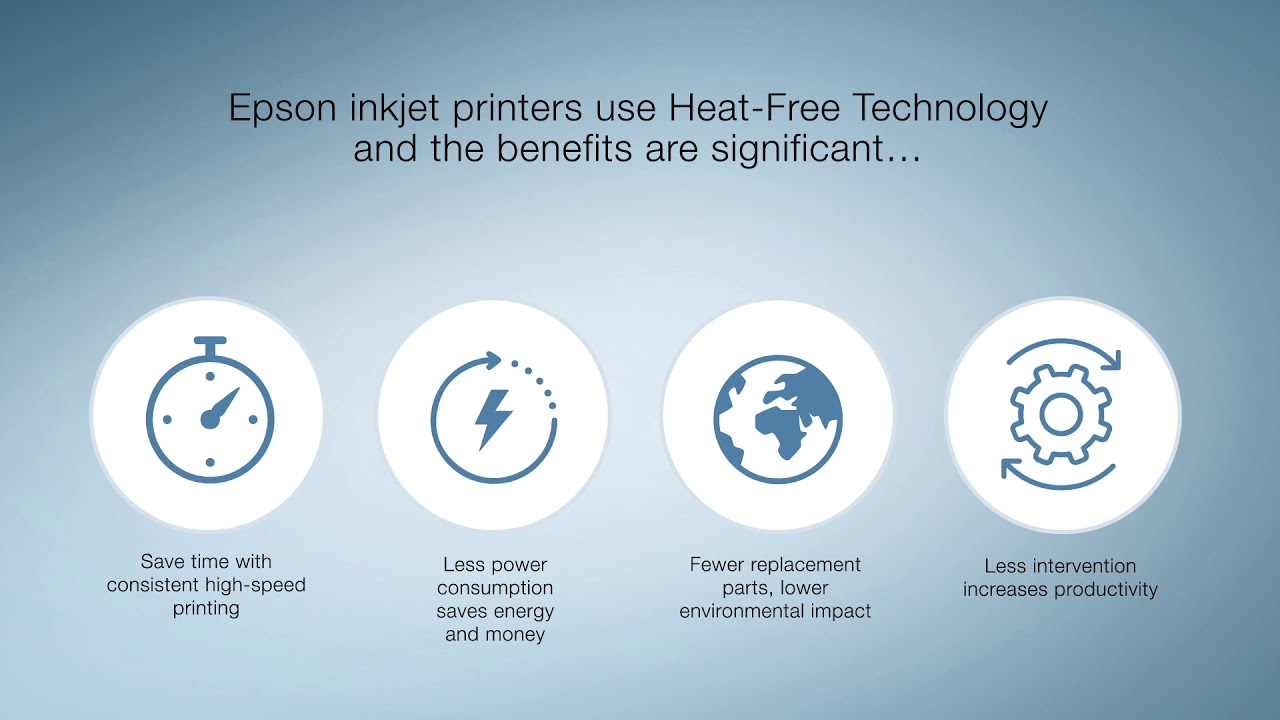
Without the use of heat in the printing process, inkjet technology consumes less power and delivers greater reliability

HEAT-FREE TECHNOLOGY
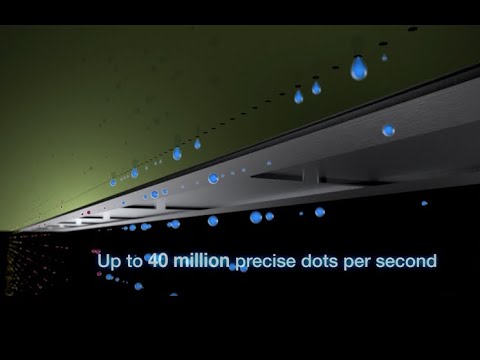
Epson's inkjet printers are simple, non-contact systems. They deposit ink droplets on the media, without the use of heat. Pressure is applied to the Piezo element, which flexes backwards and forwards firing the ink from the printhead.

PrecisionCore Linehead
By optimally arraying 36 MicroTFP print chips in a diagonal configuration, Epson has developed a compact linehead just 43 mm wide that boasts about 33,500 active nozzles. This size-conscious device contributes to reduced space requirements of the product, and enables high-speed performance of printing up to 100 pages per minute.

Energy Savings with Heat-Free Technology
Inkjet technology consumes less power and delivers greater reliability than traditional laser printing systems - helping reduce electricity costs while maintaining high performance.

Waste Reduction and Enhanced Reliability
With fewer periodic parts to replace, inkjet technology can reduce the amount of waste materials, lowering the environmental impact, and enhance overall reliability

Fewer Replacement Parts, Lower Environmental Impact
Thanks to Heat-Free Technology, Epson inkjet printers use fewer parts that need replacing than in a laser printer, and our printheads are not a consumable. This reduces the environmental burden of manufacturing and recycling the additional resources.

Clean and Safe
Certified to ISO standards, Epson Business Inkjet printers are recognised for their outstanding environmental performance and cleanliness - making them an ideal choice for a safe and healthy workplace.
* This standard is not applied to products used in clean rooms. It is a classification of the environment when using the product.

High speed printing with Epson PrecisionCore Linehead

Utilising a linehead with 36 MicroTFP print chips assembled in an array, the WorkForce Enterprise AM-C10000 is able to print up to 1000 ipm with no compromise in print quality.

Description of the image

Improved paper transport system with extended duplexer

This new paper path design maintains a consistent print speed of up to 100 ipm for both simplex or duplex A4 printing and greatly improved the print speed for A3 size to up to 57 ipm (simplex) / 58 ipm (duplex).

Stress-Free Operation

The printers come with space and user-friendly configurations such as a hassle-free front-loading design, transparent ink window, and customisable layout.

Description of the image


Compact Size
Superb Print Quality with Lower Cost

Save on printing costs and reduce downtime with high-capacity ink cartridges. Print up to 69,000 pages in black without interruption.

Durable Prints with Flexible Media Support

Print high-quality business documents using pigment inks that are resistant to smudging, fading, and water. Print on a wide range of media.

Large LCD Panel with a refreshing user Interface

Equipped with a 10.1” LCD touch screen panel, users can operate the printer with ease. Icons are colour coded by function type for easy identification.

Efficient Document Management

Automate your document and digitalisation workflows with the 150 sheets ADF scanner. Conveniently scan up to 60 ppm or 120 ipm with 1-pass duplex scanning.

Improved Paper Handling and Expandability

Expand the capability of paper handling with High Capacity Trays.

  • A4 High Capacity Tray-P1 supports up to 3,000 sheets 80 gm2 up to A4 size.
  • A3 High Capacity Tray-P1 supports up to 3,200 sheets 80 gm2 up to A3 size. Unlock SRA3 support with paid options.


Scalable for the Business Requirement

Upgraded with various options to suit many types of office space and work requirement.

Easy User Self Maintenance

Extend the life of the printer and minimise down time with user replaceable periodic parts.


Enhance productivity with Automation
Improved Paper Handling and Expandability Expand the capability of paper handling with High Capacity Trays. ✓ A4 High Capacity Tray-P1 supports up to 3,000 sheets 80 gm2 up to A4 size. ✓ A3 High Capacity Tray-P1 supports up to 3,200 sheets 80 gm2 up to A3 size. Unlock SRA3 support with paid options. Automate the manual tasks of sorting and distribution with a variety of finisher options.

Enhance productivity with Automation

Collaborate with Enhanced Security
Extend printer access to multiple users with peace of mind. Epson printers incorporate a range of security features to help prevent security breaches.

Enhance productivity with Automation

Expand connectivity further with various options:

  • Additional Ethernet Option
    Further reduce security risks by connecting external devices with a separate network.
  • Wi-Fi Option
    Add Wi-Fi capability to connect wirelessly to the network and enable Wi-Fi direct for up to 8 devices.
  • Optional Fax Capability
    Enable fax capability with the fax option. Up to 3 fax options can be installed to expand the line capability.


IEEE 802.1X Authentication

Confidential Job

Prevent leakage of confidential information by unattended prints left on the printer by setting a PIN for release on the panel.

IPSec / IP Filtering

IPSec / IP Filtering

Transmit data securely with encryption with IPSec and prevent unauthorised connection to the device.

Image 1

Panel Lock

Prevent users from changing the printer settings by setting an admin password to lock the panel.

Image 2

Access Control

Prevent unauthorised usage of the printer by account control. Up to 10 user accounts can be set..

LDAP Address Book

LDAP Address Book

Reduce the risk of information leakage due to mistakes in the target recipient’s email address

SSL / TLS

SSL / TLS

Prevent information leakage by securing communication with SSL/TLS and server validation supporting up to TLS 1.3.

IEEE 802.1X Authentication

IEEE 802.1X Authentication
Epson devices support IEEE 802.1X Authentication that authenticatates each device with a server to connect to a network.

For more information about product security, please refer to our security guidebook: https://www.epson.com.sg/security-guidebook.

Printer Type:


Printer Type: Print

Paper Handling:


Paper Feed Method: Rear FeedNumber of Paper Trays: 1Paper Hold Capacity: Input Capacity
100 sheets of A4 Plain Paper (80 g/m2)
Output Capacity
30 sheets of A4 Plain Paper (80 g/m2)Support Paper Size: A4, A5, A6, B5, B6, Letter, Legal, Indian-Legal, 100 x 148 mm, 3.5 x 5", 4 x 6", 5 x 7", 5 x 8", 8 x 10", 8.5" x 13", 16:9 Wide, 16K, Envelopes: #10, DL, C6Maximum Paper Size: 215.9 x 1200 mm (8.5 x 47.24")Support Paper Weight: 64-90 g/m2Print Margin: 3 mm top, left, right, bottom via custom settings in printer driver

Noise Level:


PC Printing/ Premium Glossy Photo Paper
Best Photo:
Sound Power (Black) 5.4 B(A)
Sound Pressure (Black) 41dB(A)PC Printing / Plain Paper Default*2: Sound Power (Black) 6.5 B(A)
Sound Pressure (Black) 52dB(A)

Dimensions and Weight:


Dimensions (W x D x H): 375mm x 347mm x 179mmWeight: 3.4 kg

Electrical Specifications:


Rated Voltage: AC 220- 240VRated Frequency: 50-60Hz Power Consumption: Operating : 14W
Standby : 5.8W
Sleep : 0.7W
Power Off : 0.2W

Interface:


USB: USB2.0Network: Wi-Fi IEEE 802.11b/g/n, Wi-Fi Direct, EthernetNetwork Protocol: TCP/IPv4, TCP/IPv6 Network Management Protocols: SNMP, HTTP, DHCP, BOOTP, APIPA, PING, DDNS, mDNS, SLP, WSD, LLTDNetwork Printing Protocol: LPD, PORT9100, WSD

Consumables:


Maintenance Box: Order Code: C12C938731Standard Black Ink Bottle: Page Yield*3: 2,000 pages
Order Code: 005SHigh Capacity Black Ink Bottle: Page Yield*3: 6,000 pages
Order Code: 005

Printer Software:


Software Solutions Compatibility: Epson Device Admin

Mobile and Cloud Printing:


Epson Connect: Epson Smart Panel, Epson Email Print, Remote Print DriverDriverless Solutions: Chrome OS

Supported Operating Systems:


Windows: Windows XP SP3 / XP Professional x64 SP2 / Vista / 7 / 8 / 8.1 / 10 / 11
Windows Server 2003 / 2008 / 2012 / 2016 / 2019 / 2022Mac: Mac OS X 10.9.5 or later, macOS 11.x or later

Printing:


Printing Technology: PrecisionCore Printhead Nozzle Configuration: 400 x 2 nozzles Black Print Direction: Bi-directional printingMaximum Resolution: 1200 x 2400 dpi (with Variable-Sized Droplet Technology)Minimum Ink Droplet Volume: 2.8plPrint Speed*1:Draft Text- Memo, A4 (Black#1)
Up to 33.0 ppm
ISO 24734, A4 (Black)
Simplex: Up to 18.0 ipm
First Page Out Time (Black)
Approx: 12.5 secPrinter Language: ESC/P-RAutomatic 2-sided Printing: No

Notes:

1 Ratio of recycled plastic weight to collective plastic component weight of hardware. The ratio of recycled plastic used is subject to change depending on the availability of raw materials (Applicable to M2050/M1050 series).
 
2 Material weight comparison of consumables (Including packaging) between Epson ink cartridges of the PX-S155/WF-M1138 series and Epson ink bottles of the M2050/M1050 series (Excluding weight of ink).
 
3 Limited to 005 high capacity ink bottles.
 
*1 Print speed (Pages Per Minute) is calculated when printed on A4 plain paper in the fastest mode, Print speed may vary depending on system configuration, print mode, document complexity, software, type of paper used and connectivity. Print speed does not include processing time on host computer.

#1
Black Text


*2 Default mode in accordance with ISO7779.
 
*3 Quoted yields are extrapolated based on Epson original methodology from the print simulation of Test Patterns provided in ISO/IEC 19752, Quoted yields are NOT based on ISO/IEC 22505, Quoted yields may vary depending on the images that you are printing, the paper type that you are using, the frequency of your prints and environmental conditions such as temperature. During the initial printer setup, a certain amount of ink is used to fill the print head's nozzles, therefore the yield of the initial bundled set can be lower.